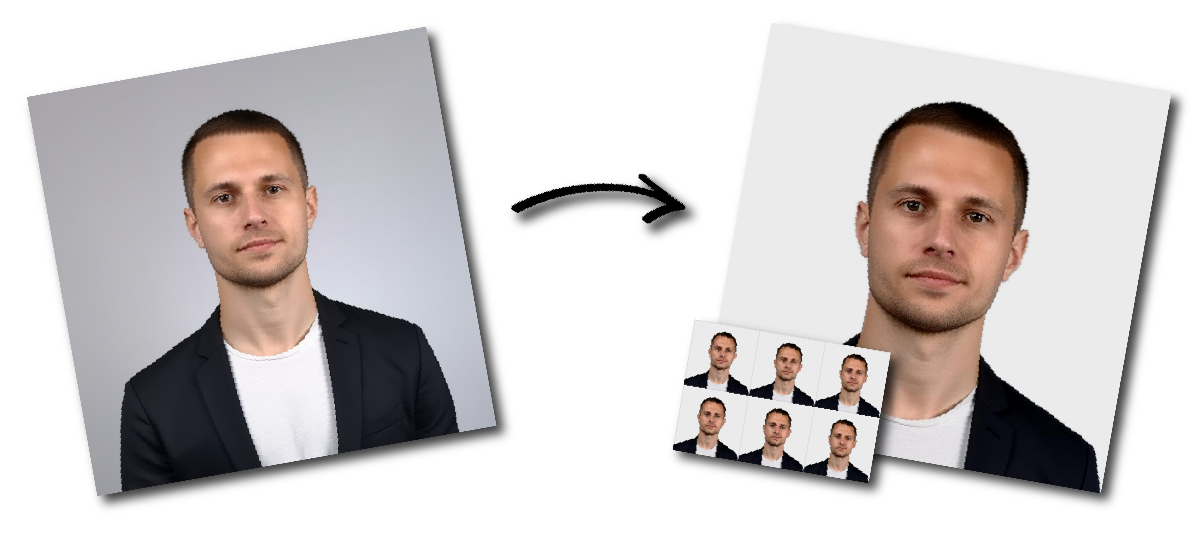

Don't worry about the size requirements. Our tool will automatically create correct United States Green card photos for you.
Your Green Card photo must clearly show your current appearance. It should be a recent color photograph taken against a plain white or off-white background. Face the camera directly, keep both eyes open, and use a neutral facial expression.
The photo must be sharp and evenly lit, reproduce natural skin tones accurately, and contain no shadows on the face or background. Do not use beauty filters, retouching, or digital alterations that change your facial features or appearance.
For a printed photo, follow these specifications:
Applicants attending an immigrant-visa interview are normally required to provide two identical printed photographs.
Place the camera at eye level and look directly into the lens. Stand a few feet in front of a plain white or off-white wall to prevent shadows behind your head. Use soft, even lighting from the front rather than a strong ceiling light or direct flash.
Wear normal everyday clothing. Remove glasses, headphones, fashion hats, and other accessories that obscure your face. A religious head covering may be worn when it is part of your normal daily attire, provided that your full face remains visible and the covering does not cast shadows.
After taking the picture, upload it to the Green Card photo tool. The image can then be cropped and formatted to the required proportions.
A Green Card photo may be considered unsuitable when:
Check both the technical specifications and the visible quality of the image before submitting it.
Every child needs an individual photograph. No parent, hand, toy, or other person should be visible in the image.
For a baby, place a plain white or off-white sheet beneath the child or cover a car seat with the sheet. Photograph the baby from directly above or from the front, making sure the face is clearly visible and free from shadows.
What size is a Green Card photo?
A printed Green Card or immigrant-visa photo is 2×2 inches, equivalent to 51×51 mm.
The number depends on the application and form. Immigrant-visa applicants are generally asked to bring two identical printed photos to their interview. Always review the instructions for your specific USCIS form or embassy appointment.
Yes, provided that the photo is recent and meets all applicable U.S. size, background, composition, and quality requirements.
Yes. A phone camera may be used when the resulting image is clear, properly lit, correctly positioned, and not digitally altered. Upload the original image rather than a screenshot or a picture copied from another document.
Glasses should normally be removed. Medical exceptions may require supporting documentation.
Use a neutral facial expression with both eyes open. Avoid broad smiles or expressions that change the normal appearance of your face.
Cropping, resizing, and preparing a plain background should not change your facial appearance. Do not reshape facial features, smooth skin, apply beauty filters, or otherwise retouch the applicant.
How big should my head appear?
Between 1 inch and 1.4 inches (25 and 35 mm) from chin to top of head.
What background is allowed?
Plain white or off-white, no patterns or shadows.
What about hats or head coverings?
Only if worn daily for religious reasons. They must not obscure your face and there should be no shadows on your face.
Do I need to wear special clothes?
No. Wear normal daily attire. Uniforms are not allowed.
How recent should the photo be?
Taken within the last 6 months, reflecting your current look.
What format should I use if uploading online?
JPEG (.jpg), under 240 KB file size.