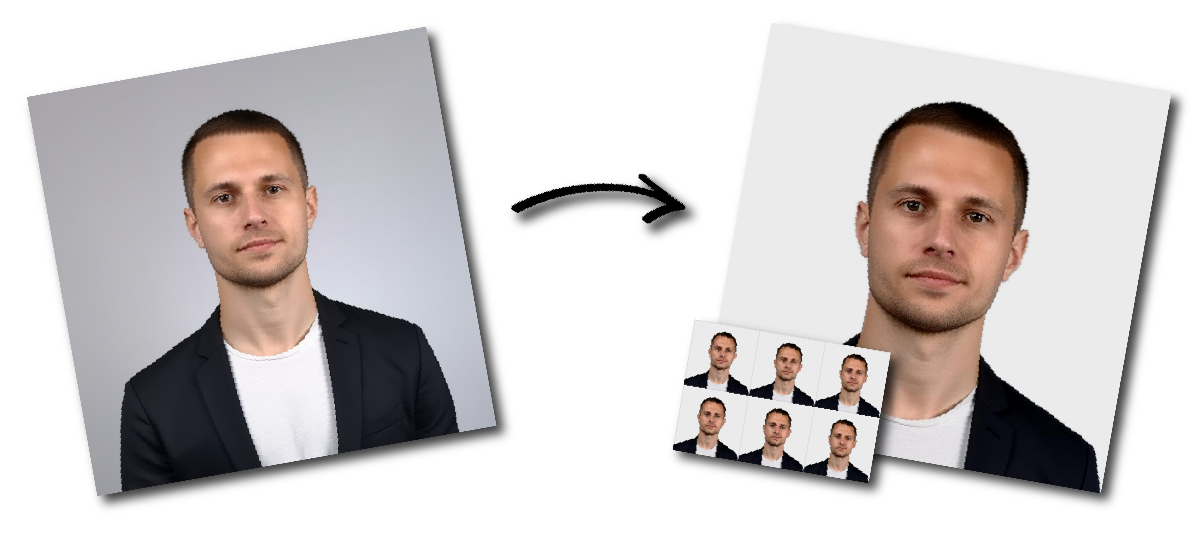
Make United States Employment Authorization Photo Online

Upload a photo to start or choose another document.

how_it_works

United States Employment Authorization Photo Requirements

Sample Photo
Photo Print Size:
2×2 inch
Head size:
The head should be 1 to 1 3/8 inches (25–35 mm) from the bottom of the chin to the top of the head.
Background color:
White
Resolution:
≥300 dpi
Paper type:
Matte
Digital Photo Size:
600×600 pixels

Don't worry about the size requirements. Our tool will automatically create correct United States Employment Authorization photos for you.

General Requirements

  • Two identical color passport-style photos
  • Must be taken within 30 days of filing
  • Size: 2 × 2 inches (51 mm × 51 mm)
  • Head size: 1 to 1.4 inches (25 - 35 mm) from chin to crown
  • Plain white or off-white background
  • High resolution, no blurring, grain, pixelation, or damage
  • Printed on glossy or matte photo paper
  • Neutral facial expression, eyes open, mouth closed
  • Full face visible, centered, facing forward


Restrictions

  • No selfies. Use another person or a tripod to take the photo.
  • No glasses, headphones, hats, caps, or uniforms.
  • Everyday clothing only.
  • Facial piercings not allowed if they obscure features.

Medical exceptions: glasses or head coverings may be worn only with a signed doctor’s statement, provided the face is fully visible and free of shadows.


Lighting and Background

  • Use natural daylight to avoid red-eye and harsh shadows.
  • No shadows on the face, neck, or background.
  • Background must be plain white or off-white, with no objects visible.

How to Take a Passport-Style EAD Photo

Where an applicant-supplied photograph is requested, stand or sit in front of a plain white or off-white background.

Position the camera at eye level and look directly into the lens. Keep your head upright and centered. Use soft, even lighting so the image accurately reproduces your natural skin tone.

The image should:

  • Be sharp and in focus
  • Show both eyes clearly
  • Show your full face from the front
  • Have no strong shadows on the face or background
  • Contain no filters or artificial facial alterations
  • Reflect your current appearance

Use a tripod or ask another person to take the photograph when this produces a more natural camera distance and composition.


Common EAD Photo Mistakes

An applicant-supplied photograph may cause delays when:

  • The image is mounted or attached to backing
  • The face has been retouched or digitally enhanced
  • The photograph is blurry or pixelated
  • The background is dark, patterned or cluttered
  • Shadows obscure the face
  • The applicant is not facing the camera
  • The head is cropped or incorrectly sized
  • The photo no longer reflects the applicant’s appearance
  • The wrong number of printed photographs is supplied
  • A digital file does not meet the current portal requirements
  • The applicant submits photographs that were not requested

EAD Photo FAQ

What size is an EAD photo?

Where printed passport-style photos are requested, the current Form I-765 instructions specify a size of 2 × 2 inches, or 51 × 51 mm.

How many photos do I need for Form I-765?

Current paper-form instructions generally request two identical color passport-style photos. Online filings may request a digital image instead. Follow the instructions for your filing method and eligibility category.

Does the EAD photo have to be 600 × 600 pixels?

Not in every case. A digital application may display its own file and image requirements. Follow the specifications shown in your USCIS account rather than treating 600 × 600 pixels as a universal Form I-765 rule.

Can I take an EAD photo with my phone?

Where your application requests an applicant-supplied digital photograph, USCIS’s online-filing guidance permits applicants to scan a passport-style photo or photograph it using a phone. The image must still be clear, unretouched and properly composed.

Can I edit my EAD photo?

Do not retouch or digitally enhance your appearance. Cropping or resizing should not alter facial characteristics, natural skin texture or identifying features.

Will USCIS take my photo at a biometrics appointment?

USCIS may collect a new photograph at a biometrics services appointment or use a previously collected qualifying image. Follow the appointment notice sent for your particular application.

Should I send photos when USCIS did not request them?

No. Submit only the evidence requested by the current application instructions, your USCIS online account or a notice issued in your case.