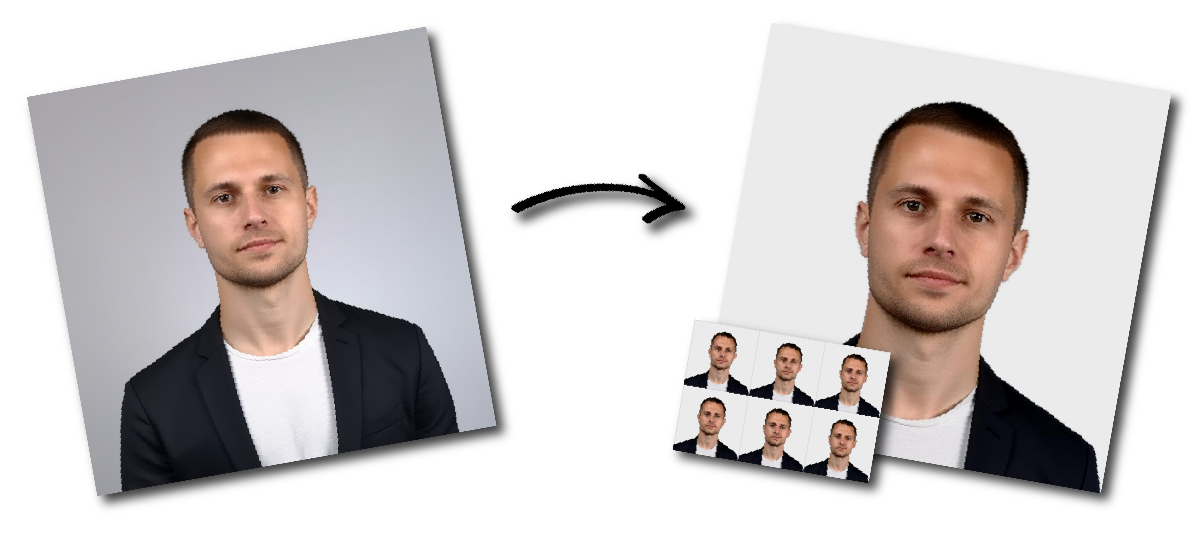

Don't worry about the size requirements. Our tool will automatically create correct United Kingdom Passport photos for you.
You need two identical printed photographs when applying for a UK passport using a paper application form.
The photographs must have been taken within the previous month. You need a new photograph for every passport application, even when your appearance has not changed.
Each printed passport photo must:
Measure 45 mm high by 35 mm wide
Show a head height of 29–34 mm
Be printed in full colour
Have no border
Be printed on plain white photographic paper
Be clear and in focus
Be produced to a professional standard
Be free from creases, tears and damage
Be unaltered by computer software
The head measurement is taken from the crown of the head to the bottom of the chin.
Do not cut down a larger photograph to create a 45 × 35 mm image.
When applying for a UK passport online, you need a digital photograph instead of two printed photos. The digital image must be:
A UK paper passport application requires two identical photographs.
Both photographs must show the same image and meet the same size, composition and print-quality requirements.
Leave the photographs separate and loose when posting the application. Do not staple, glue or otherwise attach them to the application form.
The visible background must be plain cream or light grey.
It should:
Contrast clearly with your face, hair and clothing
Contain no patterns
Contain no furniture or household objects
Contain no other people
Have no shadows behind your head
Be evenly lit
The photograph itself must be printed on plain white photographic paper. The white paper requirement is different from the required cream or light-grey image background.
The photograph must be a close-up of your full head and upper shoulders.
You must:
Face directly towards the camera
Look straight at the lens
Keep your head upright
Keep your eyes open and visible
Use a plain expression
Keep your mouth closed
Keep hair away from your eyes
Make sure nothing covers your face
Do not smile, frown, tilt your head or look away from the camera.
Use soft, even lighting that accurately reproduces your natural skin tone.
The photograph must have:
No shadows across your face
No shadows behind you
No red-eye
No glare or reflections
No blurred facial features
No overexposed or excessively dark areas
Natural colour and contrast
Avoid direct flash and strong lighting coming from only one side.
Remove glasses unless you must wear them.
When glasses are necessary:
The lenses must not be tinted
The frames must not cover your eyes
There must be no glare
There must be no reflections
There must be no shadows over your eyes
Sunglasses are not permitted.
Do not wear a hat or head covering unless it is required for religious or medical reasons. A permitted covering must not obscure or cast a shadow across your face.
The photograph must be an accurate and natural likeness of you.
Do not:
Apply beauty filters
Smooth or replace skin texture
Reshape facial features
Change your eye, hair or skin colour
Remove scars or identifying marks
Add digital makeup
Replace your face with an AI-generated image
Artificially blur or alter your appearance
The photograph may be sized and arranged for printing, but the processing must not alter your identifying facial characteristics.
Some paper passport applications require a countersignatory to complete part of the application and certify one of the two photographs.
When countersigning is required, the countersignatory writes the required statement on the back of one photograph and signs and dates it.
The second photograph should remain unmarked.
Countersigning may be required for applications such as:
A first British passport
Replacing a lost, stolen or damaged passport
Certain child-passport applications
An application where the applicant cannot be recognised from the photograph in their previous passport
Follow the guidance supplied with your application form to determine whether countersigning is required.
When sending a paper passport application:
Include two identical photographs
Keep the photographs separate from each other
Leave them loose
Do not attach them to the application form
Do not crease, fold or damage them
Leave both sides unmarked unless one photograph must be countersigned
Place the photographs securely with the application so they are not bent or damaged in transit.
A child must be the only person visible in the photograph.
Babies must not:
Hold toys
Use a dummy
Be shown with another person
Have a supporting hand visible
Children under six do not need to look directly at the camera or maintain a plain expression.
Babies under one do not need to have their eyes open. Their head may be supported, but the supporting hand must not appear in the photograph.
A paper passport application may be delayed when:
Fewer than two photographs are included
The photographs are not identical
The dimensions are not 45 × 35 mm
A larger photograph has been cut down
The head height is outside the 29–34 mm range
The background is white, dark, patterned or cluttered
The photographs have a border
The print is blurry or of poor quality
The photographs are creased, torn or marked
The applicant is smiling or looking away
Hair, glasses or glare obscure the eyes
Shadows appear on the face or background
The photograph has been digitally altered
The photos are attached to the form instead of left loose
A required countersignature is missing
A printed UK passport photo must measure 45 mm high by 35 mm wide.
The image from the crown of the head to the chin must measure between 29 mm and 34 mm.
You need two identical printed photographs for a paper passport application.
No. The visible background should be plain cream or light grey. The photograph must be printed on plain white photographic paper.
HM Passport Office does not specify that the finish must be matte. The photographs must be professionally produced on plain white photographic paper without a border.
No. The photographs must be produced at 45 × 35 mm rather than cut down from a larger image.
They must have been taken within the previous month.
No. Keep the two photographs separate and leave them loose with the application.
No. Only one photograph is countersigned when the application requires identity verification. The other should remain unmarked.
Yes. Online passport applications use a digital photograph rather than two printed 45 × 35 mm photos.