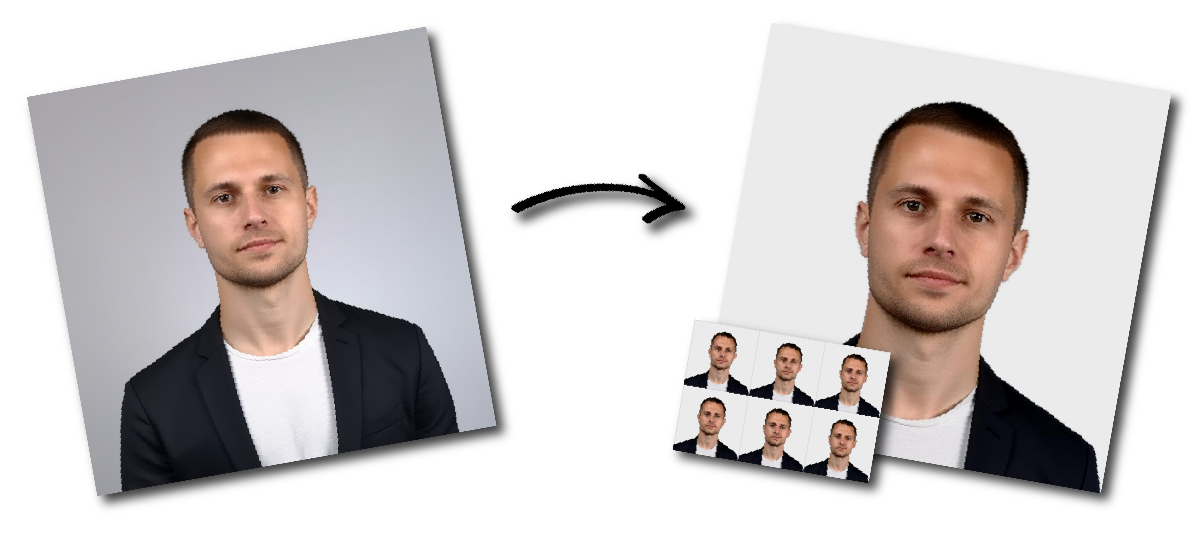

Don't worry about the size requirements. Our tool will automatically create correct United Kingdom Passport (online applications) photos for you.
UK Passport Digital Photo Requirements
You need a digital photograph when applying for, renewing, replacing or updating a UK passport online.
The photo must be a recent and accurate likeness of you. Take a new photograph for every passport application, even when your appearance has not changed.
Your photograph must have been taken within the previous month.
A digital passport photo for an online UK application must be:
At least 600 pixels wide
At least 750 pixels tall
Between 50 KB and 10 MB
In colour
Clear and in focus
Free from red-eye
Unaltered by filters or computer software
The photograph must not be altered by filters, retouching software or artificial-intelligence tools.
Do not:
Smooth or replace skin texture
Reshape facial features
Change eye, skin or hair colour
Remove permanent marks or scars
Add digital makeup
Apply portrait or beauty filters
Replace your face or parts of your face
Artificially blur the background
Use an AI-generated image
Sharpen or enhance the photo until it looks unnatural
HM Passport Office requires a natural image that accurately represents your appearance.
Use a plain, light-coloured background that clearly contrasts with your face, hair and clothing.
Suitable colours can include:
Light grey
Cream
Ivory
Other plain, pale shades
The background must not contain:
Other people
Furniture
Household objects
Strong patterns
Visible decorations
Distracting marks
Shadows behind your head
Stand approximately 50 centimetres away from the background to reduce shadows.
Use balanced, even lighting so your face is clear and your natural skin tone is reproduced accurately.
Avoid:
Shadows across your face
Shadows on the background
Strong light from only one side
Direct flash
Red-eye
Overexposure
Dark or hidden facial features
Blur caused by camera movement
Heavy image compression
Natural light from a window can work well. Face towards the light rather than placing it directly behind you.
The person taking the photo should stand approximately 1.5 metres away so the frame includes your head, shoulders and upper body.
In your UK passport photo, you must:
Face directly towards the camera
Look straight into the lens
Hold your head upright
Keep your eyes open and visible
Use a plain expression
Keep your mouth closed
Keep hair away from your eyes
Make sure your full face is visible
Do not smile, frown, tilt your head or look away from the camera.
Remove glasses whenever possible.
When you must wear glasses:
Your eyes must remain fully visible
The frames must not cover your eyes
There must be no glare
There must be no reflection
There must be no shadow from the frames
The lenses must not be tinted
Sunglasses are not permitted.
Ordinary contact lenses are generally acceptable when they do not change the natural appearance of your eyes. Avoid decorative or coloured lenses that make it difficult to confirm your true appearance.
Do not wear a hat, cap, fashion head covering or decorative hair accessory.
A head covering may be worn when it is required for religious or medical reasons. It must not cover or cast a shadow over your face.
Remove:
Headphones
Earbuds
Large decorative accessories
Anything that hides facial features
Hearing aids may remain visible.
There are two main ways to provide a photo for an online UK passport application.
A friend or family member can take your photograph using a phone, tablet or camera during the application.
Use the original full-frame image. Do not crop or digitally correct it before uploading.
Selfies are less suitable because they can distort facial proportions and make it difficult to include the head, shoulders and upper body correctly.
Participating photo booths and photography shops can provide a code linked to a digital passport photograph.
Enter the code when prompted during the online passport application. The image will then be retrieved and added to the application.
Check that the provider specifically offers a UK digital passport photo code rather than only a downloadable image.
Digital and printed passport photographs have different technical requirements.
For an online application, provide a digital image measuring at least 600 × 750 pixels and between 50 KB and 10 MB.
You do not need a 35 × 45 mm printed photograph.
A paper passport application normally requires two identical printed photographs measuring 45 × 35 mm.
Do not use printed-photo dimensions, head measurements, paper-finish rules or DPI settings as the main specifications for an online passport application.
Every child must be the only person visible in their photograph.
Babies must not:
Hold a toy
Use a dummy
Be shown with another person
Have a supporting hand visible
Children under six do not need to look directly at the camera or maintain a plain expression.
Babies under one do not need to have their eyes open. You may support the baby’s head, but your hand must not be visible.
Place a baby on a plain, light-coloured sheet and take the photograph from directly above.
A digital passport photo may be rejected or delayed when:
It is smaller than 600 × 750 pixels
It is below 50 KB or above 10 MB
It was taken more than one month ago
It is blurry, dark or overexposed
It has been digitally retouched
The source photograph was cropped too tightly
The head or shoulders are cut off
Another person or object is visible
The background is patterned or cluttered
Shadows appear on the face or background
The applicant is smiling or looking away
Hair or glasses cover the eyes
Glare or reflections appear on the lenses
Red-eye is visible
A hat or prohibited head covering is worn
The photograph no longer reflects the applicant’s current appearance
The online application automatically checks elements such as image size, camera distance, eye position, head tilt, focus, contrast and brightness.
It must be at least 600 pixels wide and 750 pixels tall.
The image must be no larger than 10 MB and no smaller than 50 KB.
No. Millimetre measurements apply to printed photographs. Online applications use digital image dimensions and file-size requirements.
No. That is not the mandatory official size. The image must be at least 600 pixels wide and 750 pixels tall.
HM Passport Office advises applicants not to crop a photograph taken with their own device. Include your head, shoulders and upper body so the application service can complete the crop.
Yes. Ask another person to take it from approximately 1.5 metres away. Use a plain light-coloured background and leave enough space around your head and shoulders.
A photo taken by another person is preferable. A close selfie may distort facial proportions and usually does not include enough of the upper body.
The image must be unaltered by computer software. Take the original photograph against an appropriate plain, light-coloured background rather than replacing it digitally.
No. Where identity confirmation is required for an application with a digital photo, the person confirming your identity completes the process online. A printed photograph does not need to be signed.
Yes. Use a new photograph taken within the previous month, even when your appearance has not changed.
It is a code provided by a participating booth or photo shop that allows the online passport service to retrieve your digital photograph securely.