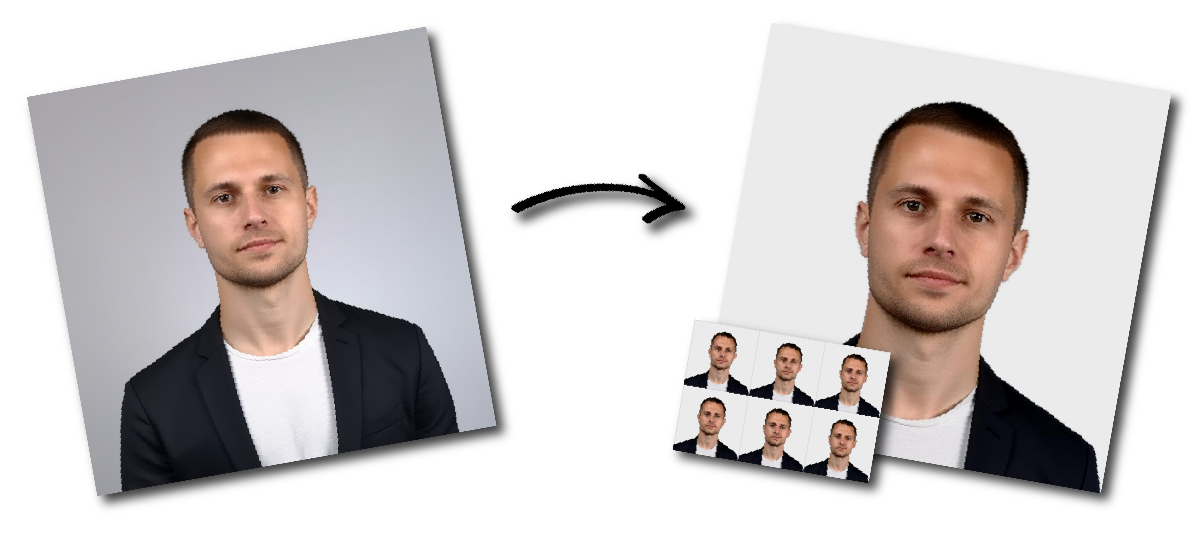
Make Philippines (Pilipinas) Visa (35 x 45 mm) Photo Online

Upload a photo to start or choose another document.

how_it_works

Philippines (Pilipinas) Visa (35 x 45 mm) Photo Requirements

Sample Photo
Photo Print Size:
35×45 mm
Head size:
Head must occupy 70 to 80% of the photograph measured from the botton of the chin to the top of the head
Background color:
White
Resolution:
≥300 dpi
Paper type:
Matte
Digital Photo Size:
826×1062 pixels

Don't worry about the size requirements. Our tool will automatically create correct Philippines (Pilipinas) Visa (35 x 45 mm) photos for you.

Color and Background

  • The photo must be taken in color with a plain white background. 
  • The applicant’s face should be clearly visible, and the background must be free from shadows or reflections.

Head Position and Facial Expression

  • The applicant must face the camera directly and look straight ahead. 
  • The head should be centered, and the face should fill about 70% to 80% of the photo. 
  • A neutral expression is required, with both eyes open and clearly visible.

Attire

  • Applicants should wear regular everyday clothing. 
  • Hats or head coverings are not permitted unless they are worn for religious or medical reasons.

Image Quality and Format

  • The image must be high resolution, with a minimum of 600 dpi. 
  • It should be saved in JPEG format, and the file size must not be more than 2 MB.

Posture

  • The applicant should stand upright with shoulders straight and face the camera directly. 
  • Head tilting or slouching should be avoided, as these may affect the photo’s acceptability.

Hair

  • Hair should be tidy and must not cover the face. 
  • Applicants with long hair are advised to tie it back so the full face is visible.

Glasses

  • If glasses are worn, there must be no glare or reflections on the lenses. 
  • If glare cannot be avoided, the applicant should remove the glasses.

Makeup

  • Makeup should be light and natural. 
  • Heavy makeup or strong colors should be avoided because they may change the applicant’s natural appearance.

Common Mistakes to Avoid

Wrong Size or File Type

  • A frequent mistake is submitting a photo with the wrong dimensions or file format. 
  • The correct photo size is 2 x 2 inches, in JPEG format, with a maximum size of 2 MB.

Poor Lighting

  • Uneven lighting can cause shadows or reflections, which may lead to rejection. 
  • The photo should be evenly lit across both the face and background.

Incorrect Head Position

  • The head must be straight, centered, and facing forward. 
  • Tilting the head or looking away from the camera is not acceptable.

Prohibited Items

  • Hats or other head coverings should not be worn unless required for religious or medical purposes.

Issues with Glasses

  • Reflections or glare on glasses can make the photo unacceptable. 
  • Removing glasses is recommended if this problem occurs.

Improper Facial Expression

  • Smiling or making exaggerated expressions is not allowed. 
  • The applicant must keep a neutral expression with both eyes clearly open.

Unsuitable Background

  • The background must be plain white. 
  • Patterned, dark, or cluttered backgrounds may cause the photo to be rejected.