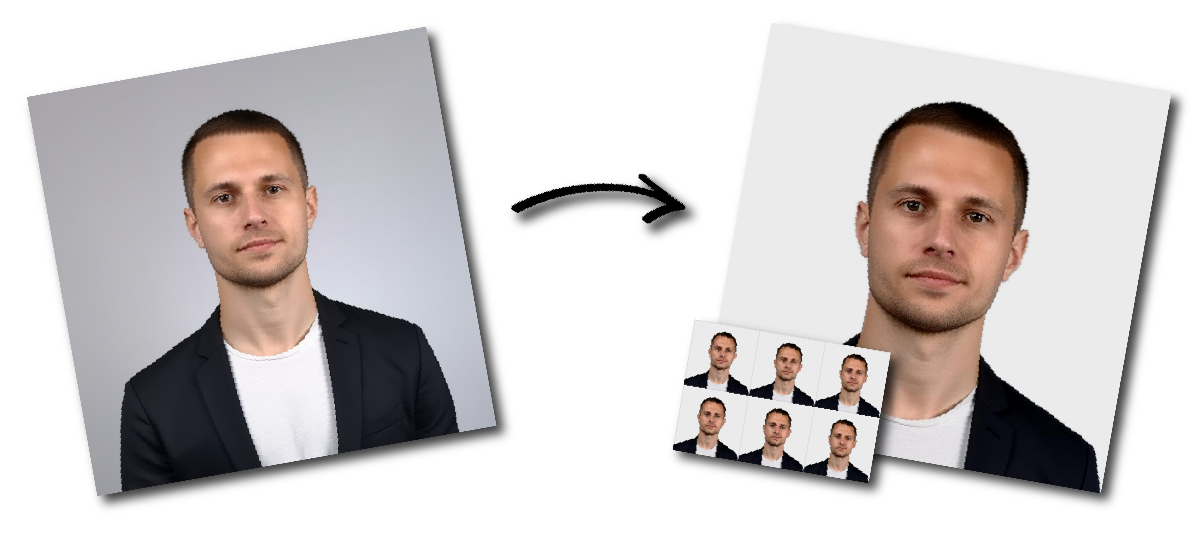
Philippines (Pilipinas) Visa (2 x 2 inch) Photo Requirements
Photo Print Size:
2×2 inch
Head size:
Head must occupy 70 to 80% of the photograph measured from the botton of the chin to the top of the head
Background color:
White
Resolution:
≥300 dpi
Paper type:
Matte
Digital Photo Size:
1200×1200 pixels
Don't worry about the size requirements. Our tool will automatically create correct Philippines (Pilipinas) Visa (2 x 2 inch) photos for you.
Size and Dimensions
The Philippine visa photo must measure 2 x 2 inches, or 50 x 50 millimeters.
Color and Background
The photo must be in color and taken against a plain white background.
The applicant’s face must be clearly visible, and the background must not contain any shadows or reflections.
Head Position and Facial Expression
The applicant must face forward and look directly at the camera.
The head must be centered in the photo, and the face must occupy approximately 70 to 80 percent of the image.
The applicant must maintain a neutral facial expression, with both eyes open and clearly visible.
Attire
The applicant must wear normal street clothing.
Hats or other head coverings are not allowed unless they are worn for religious or medical reasons.
Image Quality and Format
The photo must be high resolution, with at least 600 dpi.
It must be submitted in JPEG format, and the file size must not exceed 2 MB.
Posture
The applicant should stand upright with straight shoulders and face the camera directly.
Tilting the head or slouching should be avoided because it can affect the quality and accuracy of the photo.
Facial Expression
The applicant should maintain a neutral expression.
Smiling or making other facial expressions should be avoided because they can change the appearance of the face.
Hair
The applicant’s hair should be neat and should not cover any part of the face.
If the applicant has long hair, it is best to tie it back so the entire face is clearly visible.
Glasses
If the applicant wears glasses, the lenses must not show glare or reflections. In some cases, the applicant may need to remove the glasses to ensure the photo is acceptable.
Makeup
Makeup should be kept minimal. Heavy makeup or bold colors should be avoided because they can alter the natural appearance of the face.
Common Mistakes to Avoid
Incorrect Size or File Format
One common mistake is submitting a photo in the wrong size or file type.
The photo must be 2 x 2 inches and in JPEG format, with a file size of no more than 2 MB.
Poor Lighting
Another common mistake is using improper lighting.
The photo must be evenly lit, with no shadows or reflections on the face or background.
Incorrect Head Position
Applicants often make mistakes by tilting their heads or not looking directly at the camera. The head must be straight, centered, and facing forward.
Wearing Prohibited Items
Applicants should not wear hats or head coverings unless these are required for religious or medical reasons.
Problems with Glasses
Glasses can create glare or reflections that make the photo unacceptable. If this happens, the applicant should remove the glasses before taking the photo.
Wrong Facial Expression
Smiling or making exaggerated expressions is not allowed. The applicant must keep a neutral expression and ensure both eyes are open and visible.
Unsuitable Background
The background must be plain white. Busy, dark, or patterned backgrounds can result in the photo being rejected.