| Requirement | Online application | Paper application |
|---|
| Photo type |
Digital colour photograph |
Four identical printed photographs |
| Dimensions |
Minimum 715 × 951 pixels |
Between 35 × 45 mm and 38 × 50 mm |
| File format |
JPEG |
Photo-quality paper |
| Maximum file size |
9 MB |
Not applicable |
| Photo age |
Taken within the previous six months |
Taken within the previous six months |
| Background |
Plain light grey, white or cream |
Plain light grey, white or cream |
| Expression |
Neutral, with mouth closed |
Neutral, with mouth closed |
| Framing |
Head to mid-torso with space around the head and shoulders |
Head to mid-torso with space around the head and shoulders |
| Digital editing |
Facial alteration and enhancement are not permitted |
Facial alteration and enhancement are not permitted |
| Witness |
Not required for the uploaded photograph |
A witness must sign and stamp two photographs |
Irish Digital Passport Photo Requirements
When applying through Passport Online, your digital photograph must meet the following requirements:
- The photograph must be in colour.
- The file must be saved in JPEG format.
- It must be at least 715 pixels wide and 951 pixels high.
- The file must not exceed 9 MB.
- The photograph must have been taken within the previous six months.
- It must be sharp, clear and correctly exposed.
- It must not be a scan of a printed photograph.
- It must not contain visible compression artefacts.
- It must not be distorted or stretched.
- It must not be digitally enhanced or altered.
- The background must be plain light grey, white or cream.
- The applicant must face the camera directly.
- The applicant’s head, shoulders and upper torso must be visible.
Irish Printed Passport Photo Requirements
For a paper passport application, you must provide four identical printed photographs.
Each photograph must:
- Measure at least 35 × 45 mm.
- Measure no more than 38 × 50 mm.
- Have been taken within the previous six months.
- Be printed on high-quality photographic paper.
- Have a white, unglazed reverse.
- Be clear, sharp and free from marks or creases.
- Show a plain light grey, white or cream background.
- Show the applicant from the head to the mid-torso.
- Leave visible space around the head and shoulders.
- Show a natural appearance without digital alteration.
Two of the printed photographs must be signed and stamped by an eligible witness. The witness must also write the application form number on the reverse of those photographs.
How to Take an Irish Passport Photo With a Phone
You can take an Irish passport photograph using an iPhone, Android phone, tablet or digital camera.
Follow these steps:
- Ask another person to take the photograph. Do not take a handheld selfie.
- Stand in front of a plain light grey, white or cream wall.
- Position the camera at eye level.
- Stand far enough away to include your head, shoulders and mid-torso.
- Leave visible space above and around your head.
- Look directly into the camera.
- Keep your head straight and your shoulders level.
- Maintain a neutral expression with your mouth closed.
- Use even natural lighting and avoid shadows.
- Turn off portrait mode, beauty filters and facial retouching.
- Do not use digital zoom.
- Take several full-resolution photographs and choose the clearest one.
The camera should be held steadily and positioned directly in front of you. Avoid taking the picture from above, below or at an angle.
Can You Use a Selfie for an Irish Passport?
No. A handheld selfie is not suitable for an Irish passport application.
Another person should take the photograph while the phone or camera is positioned at eye level. A tripod may be used to keep the device stable, but the photograph should still be framed and taken by another person.
Selfies commonly cause:
- Incorrect camera angles
- Facial distortion
- Cropped shoulders
- Poor framing
- Uneven lighting
- Insufficient space around the head
Irish Passport Photo Background
The background must be plain and uncluttered. Acceptable background colours include:
There should be sufficient contrast between your face, hair, clothing and the background.
Avoid:
- Patterned wallpaper
- Doors, furniture or decorations
- Strong shadows behind the head
- Background objects
- Other people
- Dark or highly coloured walls
- Backgrounds that blend into your clothing or head covering
Do not use filters that alter your face. Any technical background adjustment must preserve your natural appearance and should not change the shape, colour or features of your face.
Facial Expression and Head Position
Your face must be clearly visible.
For the best result:
- Look directly at the camera.
- Keep your head straight.
- Keep both eyes open and visible.
- Maintain a neutral expression.
- Keep your mouth closed.
- Avoid smiling, frowning or raising your eyebrows.
- Do not tilt or turn your head.
- Keep hair away from your eyes.
Your full facial outline should be visible from the chin to the forehead.
Glasses
It is preferable to remove glasses before taking an Irish passport photograph.
When glasses are worn:
- The eyes must remain fully visible.
- There must be no glare or reflections.
- The frames must not cover the eyes.
- The lenses must not be tinted.
- Sunglasses are not permitted.
Removing glasses reduces the risk of rejection caused by glare, reflections or covered eyes.
Head Coverings
Head coverings are generally permitted when worn for religious or medical reasons.
The covering must not:
- Hide any part of the face
- Cast shadows across the face
- Cover the eyes, nose, mouth or chin
- Blend into the background
The entire facial area must remain clearly visible.
Fashion hats, caps and decorative headwear should not be worn.
Clothing
Wear ordinary clothing that contrasts with the background.
Avoid:
- White or cream clothing against a pale background
- Uniforms
- Clothing with official insignia
- Large hoods
- Scarves covering the chin
- Clothing that obscures the neck or facial outline
Simple, dark-coloured clothing usually provides good contrast against a light background.
Lighting Requirements
Use soft, even lighting across the face.
The photograph should not contain:
- Shadows across the face
- Shadows behind the head
- Overexposed areas
- Very dark areas
- Red-eye
- Flash reflections
- Strong colour casts
Natural daylight from a window can work well. Stand facing the light rather than placing the light behind you.
Common Reasons Irish Passport Photos Are Rejected
An Irish passport photograph may be rejected when:
- It is a selfie.
- The applicant is too close to the camera.
- The applicant is too far from the camera.
- The head or shoulders are cropped.
- There is insufficient space around the head.
- The head is tilted or turned.
- The applicant is smiling.
- The mouth is open.
- The eyes are closed or covered.
- Hair covers the eyes.
- Glasses create glare.
- Tinted glasses are worn.
- The background is patterned or cluttered.
- Shadows appear on the face or wall.
- The photograph is blurred or pixelated.
- The file contains compression artefacts.
- The image has been stretched or distorted.
- Beauty filters or skin smoothing have been used.
- Facial features have been digitally altered.
- The photograph is older than six months.
- Another person or object appears in the image.
- A scanned printed photograph is uploaded.
Baby and Child Irish Passport Photos
Baby and child photographs must follow the same general quality and background rules as adult photographs.
For babies:
- Place the baby on a plain white or light-coloured surface.
- Photograph the baby from directly above.
- Keep the baby’s face fully visible.
- Remove pacifiers, toys and blankets that cover the face.
- Do not include another person in the photograph.
- Supporting hands must not be visible.
- Avoid shadows around the baby’s head.
For young children:
- Position the camera at the child’s eye level.
- Ask the child to look directly at the camera.
- Keep hair away from the eyes.
- Use a neutral expression where possible.
- Ensure no parent, chair or toy is visible.
The online system may require manual face positioning when processing photographs of very young children.
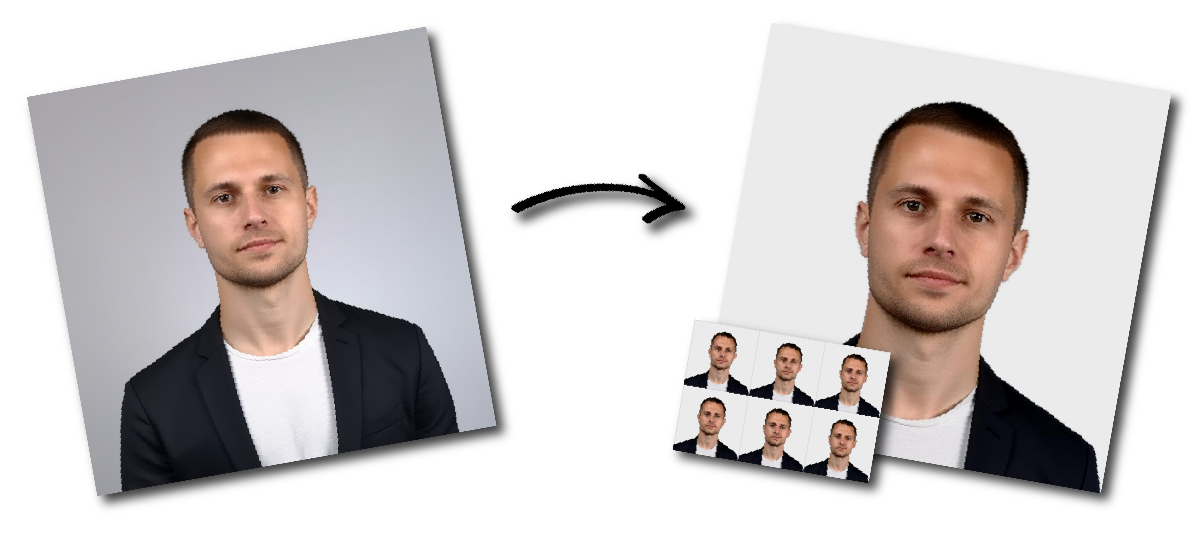
How to Create an Irish Passport Photo Online in just 1 minutes
- Upload a recent photograph taken by another person to our passport photo tool
- Select the Irish passport photo format.
- Download the prepared JPEG for an online application or the print layout for a paper application.
Frequently Asked Questions
What size is an Irish passport photo?
For a paper application, an Irish passport photo may measure between 35 × 45 mm and 38 × 50 mm.
For an online application, the digital photograph must be at least 715 pixels wide and 951 pixels high.
Must the digital photo be exactly 715 × 951 pixels?
No. These are minimum dimensions. A larger image may be accepted when it has the correct proportions, remains clear and does not exceed the maximum file size.
What is the maximum file size?
The digital JPEG file must not exceed 9 MB.
Which file format is accepted?
Passport Online requires a JPEG image.
Can I take the photograph with an iPhone or Android phone?
Yes. A phone can be used, but another person should take the photograph. Do not use a handheld selfie, digital zoom, portrait mode or beauty filters.
Can I smile?
No. Use a neutral expression and keep your mouth closed.
Can I wear glasses?
Glasses should preferably be removed. When worn, the eyes must be fully visible and there must be no glare, reflections or tinted lenses.
Can I wear a religious head covering?
Yes, provided the covering does not obscure any part of the face or cast shadows across it.
What background colour is required?
Use a plain light grey, white or cream background.
How recent must the photograph be?
It must have been taken within the previous six months.
Can I reuse a previous passport photograph?
Only when the photograph is less than six months old and still accurately reflects your current appearance. Using a new photograph is normally safer.
Can I upload a scan of a printed photograph?
No. The online application requires an original digital photograph rather than a scan of a printed image.
Can I digitally change the background?
Avoid any editing that changes your face, skin, hairline or facial outline. Facial enhancement, retouching and distortion are not permitted.
How many photographs are required for a paper application?
Four identical printed photographs are required.
Source: https://www.ireland.ie/en/dfa/passports/photo-guidelines/