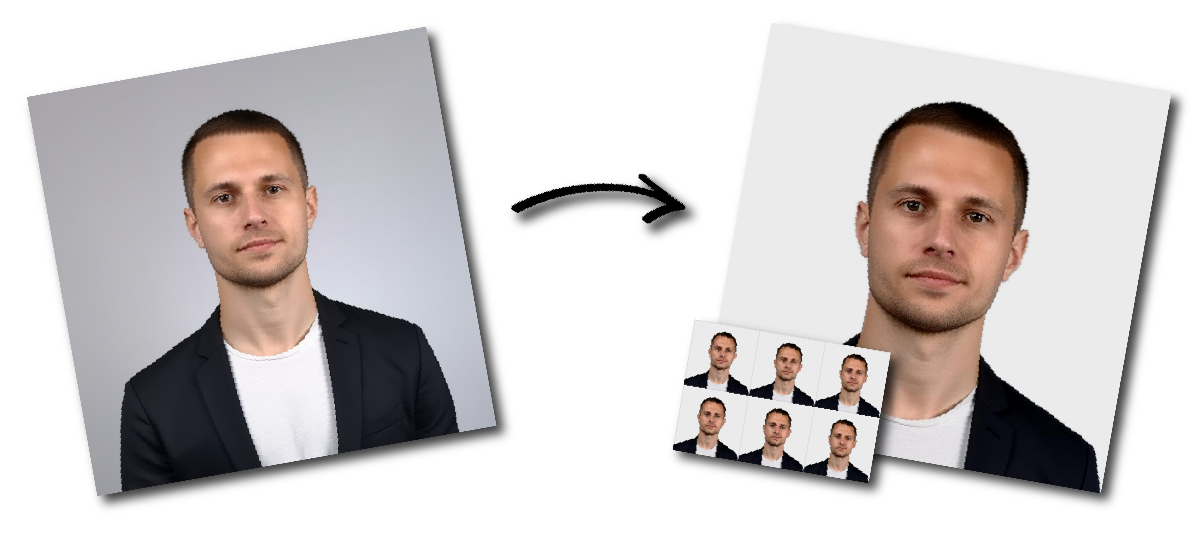

Don't worry about the size requirements. Our tool will automatically create correct Ireland Passport (online applications, 715x951px) photos for you.
Irish Passport Online Photo Requirements
| Requirement | Specification |
|---|---|
| Application type | Passport Online |
| Minimum dimensions | 715 pixels wide × 951 pixels high |
| File format | JPEG |
| Maximum file size | 9 MB |
| Colour | Colour photograph required |
| Photo age | Taken within the previous six months |
| Scanned photo | Not accepted |
| Selfie | Not accepted |
| Framing | Head to mid-torso, with visible surrounding space |
| Background | Plain light grey, white or cream |
| Expression | Neutral, mouth closed |
Your uploaded photograph must:
Be an original digital photograph.
Be in colour.
Be at least 715 pixels wide.
Be at least 951 pixels high.
Be saved in JPEG format.
Be smaller than 9 MB.
Be clear and in sharp focus.
Have natural colour and skin tones.
Be correctly exposed.
Contain no visible compression artefacts.
Contain no barrel distortion or other distortion.
Contain no digital enhancement or alteration.
Have been taken within the previous six months.
A photograph that has been copied from a printed picture, another identity document or an old passport is not suitable.
Select country "Ireland" and "Passport (online applications,715X951px)
Upload the original full-resolution photograph to our passport photo maker
Download your photos
You may take the photograph using a smartphone, tablet or digital camera. However, another person must take it for you. Handheld selfies are not accepted.
For the best result:
Use the rear camera where possible.
Clean the camera lens.
Hold the phone vertically.
Place the camera at the applicant’s eye level.
Keep the phone parallel to the applicant’s face.
Ask the applicant to stand naturally.
Include the head, shoulders and mid-torso.
Leave space around the head and shoulders.
Use even daylight.
Keep the device steady.
Take several photographs and select the sharpest one.
Keep the original full-resolution file.
Do not use:
Digital zoom
Portrait mode
Beauty mode
Face-smoothing filters
Artificial blur
Skin retouching
Face reshaping
Filters that alter natural colour
No. Selfies are not accepted for Irish Passport Online applications.
Another person must take the photograph. A handheld selfie can distort facial proportions, create an incorrect camera angle and place the face too close to the camera.
Applicants who submit selfies may be asked to provide another photograph, which can delay the passport application.
A tripod can help keep the phone stable, but another person should check the applicant’s position, framing and expression before taking the photograph.
The photograph must show you from the head to the mid-torso.
Make sure:
Your entire head is visible.
Your chin is not cropped.
Your shoulders are visible.
Part of your upper torso is visible.
There is space above your head.
There is space beside your head and shoulders.
Your face is positioned centrally.
You are not standing too close to the camera.
You are not standing too far from the camera.
Use a completely plain:
Light grey background
White background
Cream background
The background must provide sufficient contrast with your face, hair and clothing.
Do not stand in front of:
Patterned wallpaper
Tiles
Door panels
Curtains
Shelves
Plants
Furniture
Windows
Pictures
Visible corners
Textured walls
Other people
There must be no shadows on the background or behind your head.
For an acceptable photograph:
Look straight into the camera.
Keep your head upright.
Do not tilt your head up or down.
Do not tilt your head to either side.
Keep both eyes open.
Keep your mouth closed.
Use a neutral expression.
Do not smile.
Do not frown.
Keep hair away from the eyes.
Make sure the full facial outline is visible.
Your face must be clearly identifiable and naturally represented.
The photograph must be in focus, correctly exposed and naturally coloured.
Use balanced lighting that illuminates both sides of the face evenly.
Avoid:
Shadows across the face
Shadows behind the head
Red-eye
Flash reflections
Very dark images
Washed-out images
Strong yellow or blue colour casts
Blurred facial features
Motion blur
Pixelation
Excessive image compression
Artificial sharpening
Artificial skin smoothing
Natural skin tones and good colour balance are required.
Transparent glasses may be worn when:
The eyes remain fully visible.
The frames do not cover any part of the eyes.
There is no glare on the lenses.
There are no shadows from the frames.
The lenses are not dark or tinted.
Sunglasses and dark glasses are not permitted.
A head covering may be worn for religious or medical reasons.
It must not:
Cover any facial feature.
Hide the forehead, eyes, nose, mouth or chin.
Cast shadows across the face.
obstruct the facial outline.
The full face must remain clearly visible.
Hats, caps and other head accessories worn for fashion or convenience are not permitted.
Wear ordinary clothing that contrasts with the background.
Do not wear:
Civil uniforms
Military uniforms
Clothing bearing official insignia
Large hoods
Scarves covering the chin
Clothing that obscures the facial outline
A plain, medium-to-dark top generally creates good contrast against a pale background.
No. Scanned photographs are not accepted for Passport Online.
Do not upload:
A scan of a printed passport photograph
A phone picture of a printed photograph
A crop from an old passport
A screenshot of an identity document
A screenshot of a social-media picture
A photograph copied from another application
Use the original digital photograph taken by the camera or phone.
Passport Online requires a JPEG image smaller than 9 MB.
Before uploading, confirm that:
The filename ends in .jpg or .jpeg.
The width is at least 715 pixels.
The height is at least 951 pixels.
The file is below 9 MB.
The file opens correctly.
The image is not visibly compressed.
The photograph has not been stretched.
The colour appears natural.
Formats such as HEIC, HEIF, PNG, WebP and PDF should be converted to JPEG before submission.
When converting the file, use a high-quality setting to avoid visible compression artefacts.
Your photograph may be rejected when:
It is a selfie.
It is less than 715 × 951 pixels.
It is not a JPEG.
It is larger than 9 MB.
It is a scan of a printed photograph.
It was taken more than six months ago.
It contains visible compression artefacts.
It is stretched or distorted.
It has been digitally altered.
Your face is too close to the camera.
Your body is too far from the camera.
Your shoulders or torso are cropped.
There is insufficient space around your head.
Your head is tilted or turned.
You are smiling.
Your mouth is open.
Your eyes are closed or covered.
Hair covers part of your eyes.
Glasses create glare.
You are wearing dark glasses.
The background is patterned or cluttered.
An object or another person is visible.
Shadows appear across your face or behind your head.
The image is blurred, overexposed or underexposed.
You are wearing a uniform or clothing with insignia.
Poor-quality photographs can delay the application because the Passport Service may require a replacement image.
Children must follow the same general background, lighting and image-quality rules.
For babies and very young children:
Place the baby on a plain white surface.
Position the camera directly above the baby.
Keep the baby’s full face visible.
Ensure no parent or other person appears.
Keep supporting hands and arms outside the frame.
Remove toys.
Remove pacifiers and soothers.
Avoid shadows around the head.
Leave enough surrounding space.
Pacifiers are not accepted because they obscure facial features.
It must be at least 715 pixels wide and 951 pixels high.
The image must be saved in JPEG format.
The JPEG must not exceed 9 MB.
Millimetres describe a printed photograph. Passport Online requires a digital JPEG measured in pixels.
No. Another person must take the photograph.
No. The photograph must have been taken within the previous six months.
Yes. Another person can take the photograph using a smartphone or tablet. Do not use digital zoom.
The Passport Online requirement is JPEG. Convert the image to JPEG while preserving its quality and natural appearance.
Convert it to JPEG before submitting it.
No. Scanned printed photos are not accepted.
No. Maintain a neutral expression and keep your mouth closed.
Transparent glasses are allowed when there is no glare or shadow and the frames do not cover the eyes. Sunglasses and dark glasses are not permitted.
Yes, provided that your full facial features remain visible.
Use a completely plain light grey, white or cream background with sufficient contrast.
No. A colour photograph must be submitted. The Passport Service converts it to black and white for display in the finished passport.
No. The Passport Service reviews the photograph after it passes the initial online check.
The Passport Service will contact you and request a replacement photograph. This can delay the application.
Source: https://www.ireland.ie/en/dfa/passports/photo-guidelines/