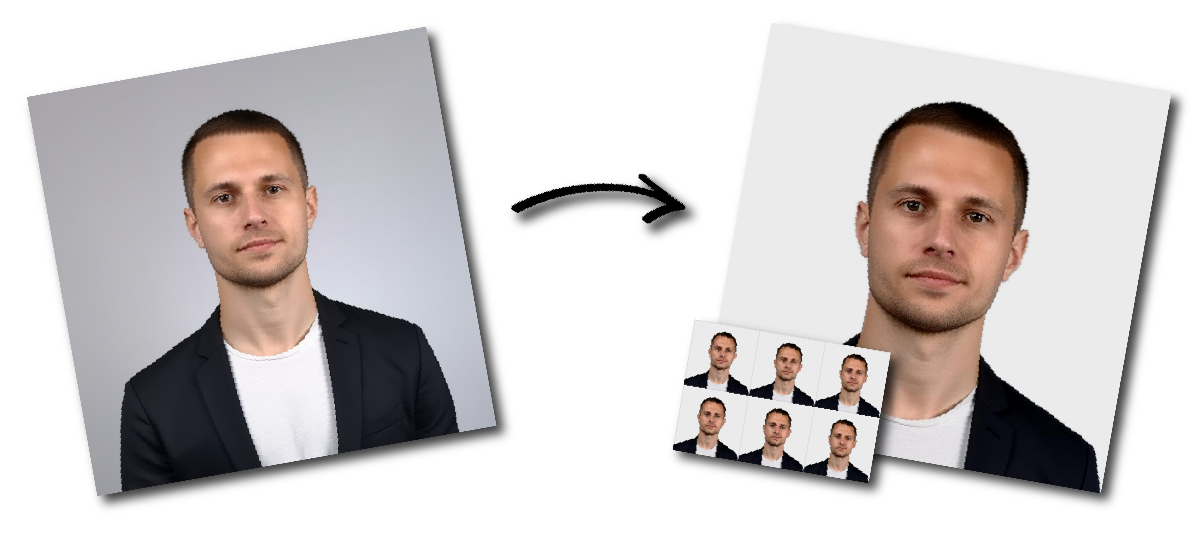
Make India Overseas Citizenship (OCI) 51 x 51 mm Photo Online

Upload a photo to start or choose another document.

how_it_works

India Overseas Citizenship (OCI) 51 x 51 mm Photo Requirements

Sample Photo
Photo Print Size:
2×2 inch
Head size:
Head must occupy 70 to 80% of the photograph measured from the botton of the chin to the top of the head
Background color:
White
Resolution:
≥300 dpi
Paper type:
Matte
Digital Photo Size:
600×600 pixels

Don't worry about the size requirements. Our tool will automatically create correct India Overseas Citizenship (OCI) 51 x 51 mm photos for you.

Size and Format

  • The citizenship photograph must be in colour and measure exactly 2 inches × 2 inches (51 mm × 51 mm).
  • The photo must be printed on thin photo paper or stock using either conventional or digital methods.
  • High-resolution photography and printing are strongly advised.
  • Prints should show continuous-tone quality, without visible pixels, dot patterns, or retouching.

Background

  • The background must be plain and light-coloured.
  • It should be evenly lit and free of patterns, objects, or distracting elements.
  • Shadows on the background must be avoided by ensuring proper illumination.

Face and Head Position

  • The face must be shown in a full frontal view, directly facing the camera.
  • The head should be centered within the frame, not tilted or turned.
  • The photograph must capture the entire head, from the top of the hair to the bottom of the chin.
  • The head height should measure between 25 mm and 35 mm (1 inch to 1-3/8 inches).
  • Eye level should fall between 1-1/8 inches and 1-3/8 inches from the bottom of the photo.

Eyes and Expression

  • Both eyes must be open, level, and clearly visible.
  • Hair or eyeglass frames should not cover the eyes.
  • The expression should be neutral and natural, with the mouth closed.

Lighting and Exposure

  • Lighting must be even and balanced to prevent shadows on the face or background.
  • Over-exposed or under-exposed photographs are not acceptable.
  • A three-point balanced lighting setup is recommended.

Contrast and Colour

  • Brightness and contrast should be properly adjusted to display the subject and background accurately.
  • The photo must reproduce natural skin tones without unnatural tints.
  • Photos with washed-out colours, unnatural colour casts, or poor contrast are unacceptable.
  • Filters may be used to correct improper colour balance, but not for enhancement.

Head Coverings

  • Head coverings are not allowed unless worn for religious reasons.
  • Even when coverings are worn, facial features from the bottom of the chin to the top of the forehead, and both edges of the face, must remain visible.

Eyeglasses

  • Glasses should not cause glare or reflections.
  • Tinted or dark lenses are not permitted.
  • Adjusting the tilt of the head slightly can help avoid glare if needed.

Printing and Image Quality

  • The print must be clear and free of creases, smudges, or marks.
  • The photo must not be blurred or pixelated.
  • Facial features should be sharply defined and easily discernible.
  • Do not digitally enhance, soften, or retouch the image.

Children’s Photographs

  • Infants under one year old are not required to have their eyes open.
  • For children under ten years old, some flexibility is allowed in the height of the face and eye placement, but the image must still be clear and frontal.
  • The child should be photographed alone, without toys, furniture, or other people visible.
  • The child should face the camera directly, with a neutral expression and mouth closed.